CATEGORIES
TAGS
Making Podcasts Accessible: A Practical 2026 Guide
TL;DR:
- Creating accessible podcasts by adding transcripts, captions, and clear metadata expands reach and meets legal standards.
- Implementing accessibility early in production with human review improves discoverability, listener experience, and trust across audiences.
Podcasting has exploded into one of the most personal, engaging media formats on the planet. But here’s what a lot of creators miss: if your show is audio-only with no transcript, no captions, and cluttered metadata, you’re shutting out a massive chunk of potential listeners before they ever hit play. Making podcasts accessible is not just a compliance checkbox. It’s how you grow your reach, earn trust, and make your content genuinely work for everyone. This guide covers exactly how to do it, without breaking your workflow or your budget.
Table of Contents
- Key takeaways
- Making podcasts accessible: what the guidelines actually say
- Your pre-production accessibility checklist
- Step-by-step: from recording to accessible publish
- Common pitfalls and how to fix them
- Measuring and improving your accessibility over time
- My take: accessibility is the smarter long game
- How Prodcastapp makes accessible podcasting easier
- FAQ
Key takeaways
| Point | Details |
|---|---|
| Accessibility is a growth move | Transcripts, captions, and clear metadata improve SEO and reach far beyond listeners with disabilities. |
| Legal standards are real | ADA Title II and WCAG 2.1 set specific requirements that podcasters distributed via video platforms must meet. |
| AI tools need human backup | Automated transcripts are a starting point, not a finished product. Human review is non-negotiable for quality. |
| Start early, save time | Baking accessibility into your production workflow from day one costs far less than retrofitting later. |
| Iteration beats perfection | Regular testing, listener feedback, and small improvements compound into a genuinely inclusive podcast over time. |
Making podcasts accessible: what the guidelines actually say
Let’s get the rules out of the way first, because understanding the floor helps you build above it.
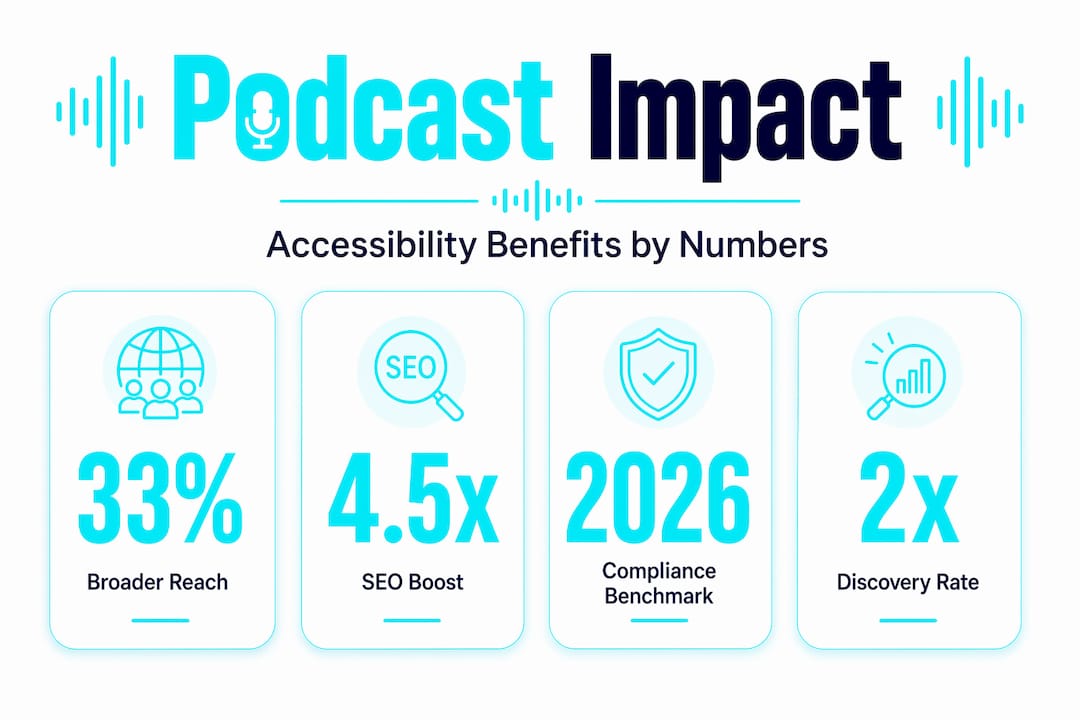
Approximately 16% of the global population lives with some form of disability. That is not a niche audience. It is hundreds of millions of people who may want to engage with your content but physically cannot, because the format does not support them.
Here is what the legal and technical standards actually require:
- ADA Title II applies to public-facing content. The U.S. Department of Justice’s rule requires human-reviewed, synchronized captions. Auto-generated captions alone do not meet the standard.
- WCAG 2.1 Level A requires transcripts for prerecorded audio content.
- WCAG 2.1 Level AA requires synchronized captions for any podcast distributed as video content (think YouTube or embedded video players).
- WCAG 1.2.5 mandates audio descriptions when visual information is presented alongside audio.
| Format | Required under | Notes |
|---|---|---|
| Transcript | WCAG 2.1 Level A | Covers prerecorded audio-only content |
| Synchronized captions | WCAG 2.1 Level AA | Required when distributed as video |
| Audio description | WCAG 1.2.5 | Only when visual content conveys meaning |
| Plain language | General best practice | Critical for cognitive accessibility |
People sometimes confuse transcripts and captions. A transcript is a static text document of your episode. Captions are time-coded and synchronized to play alongside the audio or video. Both matter, and neither replaces the other. Closed caption files like .vtt or .srt are preferred because listeners can toggle them on and off, and you can correct them after upload.
Plain language usage and avoiding jargon are also part of inclusive accessibility. If your episode is packed with acronyms and industry shorthand, it creates a barrier for people with cognitive disabilities, non-native English speakers, and first-time listeners alike.
Pro Tip: Write your show notes and episode descriptions the same way you would explain your topic to a smart friend who is not in your industry. That habit alone will improve accessibility across the board.
Your pre-production accessibility checklist
Getting accessibility right is much easier when you plan for it before you hit record. Accessibility integration baked into your workflow from the start costs far less than patching things up afterward.
Here is what to get sorted before production begins:
- Transcription tools: AI tools like Descript, Otter.ai, or Whisper give you a fast first draft. Budget time for human review on every episode.
- Captioning tools: Look for software that exports .vtt or .srt files directly. Avoid tools that only produce burned-in open captions.
- Podcast hosting platform: Choose a host that lets you attach transcripts and captions to each episode natively. Not all of them do.
- Media player accessibility: Your embedded player should be keyboard-navigable. Test it with a keyboard alone before publishing.
- Episode metadata: Title, description, and chapter markers should be descriptive and searchable. Vague titles like “Episode 47” help no one.
| Tool type | AI option | Human review needed? |
|---|---|---|
| Transcription | Whisper, Otter.ai, Descript | Yes, always |
| Captioning | Rev, Descript | Yes, for sync accuracy |
| Hosting (accessible) | Buzzsprout, Podbean | Check native transcript support |
| Metadata planning | Any spreadsheet or doc | Yes, you write this |
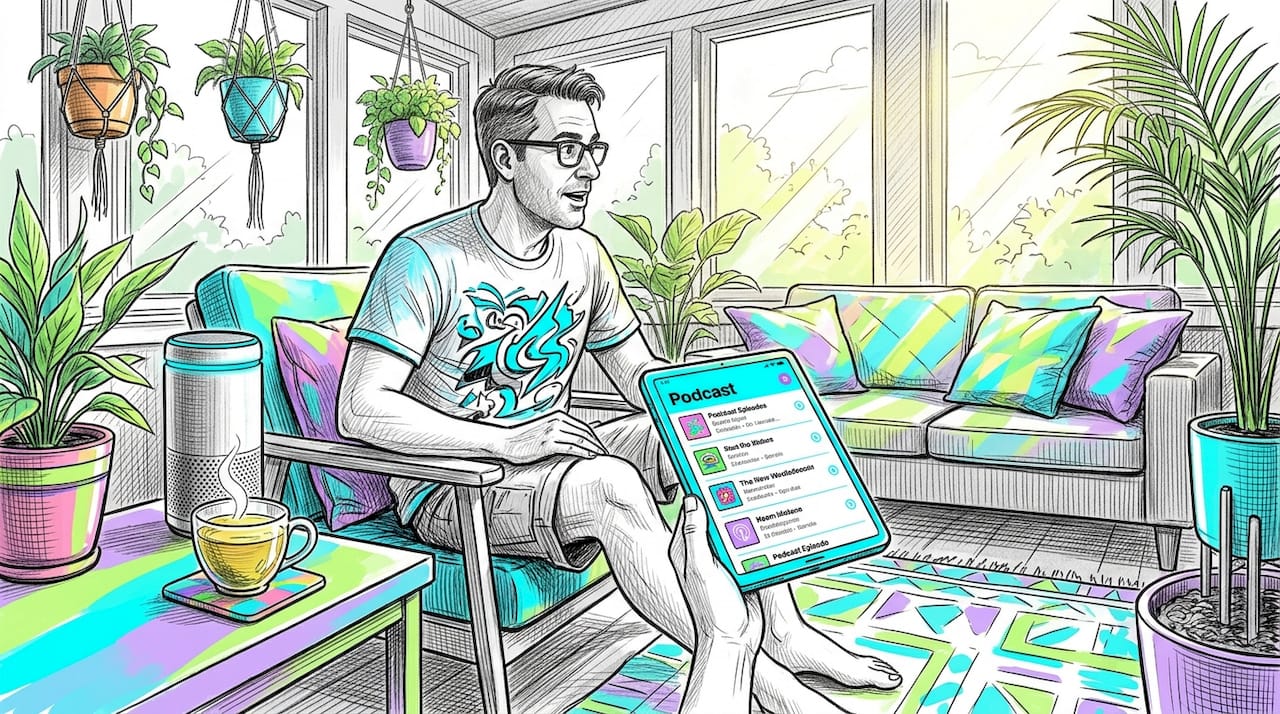
Older adults rely on clear, plain metadata for effective podcast discovery across voice search and smart speakers. Good metadata is not just about SEO. It is about making your show findable by someone who asks their smart speaker to “play the episode about sleep habits from last month.”
Pro Tip: Create a simple accessibility checklist doc that lives next to your episode production template. Run through it before every publish. It takes three minutes and saves hours of retroactive fixes.
Step-by-step: from recording to accessible publish
This is where the rubber meets the road. Here is exactly how to produce and publish a podcast episode with accessibility built in at every step.
-
Record with clarity in mind. Use a quality microphone and minimize background noise. Speak at a steady pace. If you have guests, brief them on pacing too. Fast talkers wreck transcription accuracy.
-
Write an episode outline with accessible language. Before you record, note any acronyms you plan to use and commit to defining them on air. Your transcript readers are counting on that context.
-
Generate your AI transcript immediately after recording. Run your audio through your transcription tool of choice right away. The faster you do it, the easier it is to remember what was said for editing.
-
Edit the transcript with human eyes. AI alone is insufficient for quality accessibility. Fix speaker labels, catch hallucinated words, and format the text so it reads naturally. This step is not optional.
-
Create and sync your caption file. Export a .srt or .vtt file. Upload it to your video platform (YouTube, etc.) and verify the timing manually. Watch at least 20% of the episode with captions on to catch sync issues.
-
Add chapter markers. Most modern hosting platforms support chapters. Label them clearly so listeners can jump to the section they want. This helps everyone, not just listeners with disabilities.
-
Build an accessible episode landing page. Clean episode pages with readable fonts, strong color contrast, and simple navigation outperform cluttered embedded players. Link to your transcript prominently. Do not bury it.
-
Publish and verify. After publishing, load your episode page on a mobile device and navigate it using only your keyboard. If something breaks, fix it before sharing the episode widely.
Pro Tip: Ask a colleague who was not involved in production to find the transcript on your episode page without any help from you. If they struggle, your accessibility placement needs work.
Common pitfalls and how to fix them
Even well-intentioned creators make the same mistakes. Here are the ones that show up most often, and what to do about them.
Relying on auto-generated captions is the biggest one. YouTube’s automatic captions are notoriously error-prone, especially with names, technical terms, and any non-American accent. AI-generated transcripts need human review to fix hallucinations, formatting issues, and misidentified speakers before they are usable.
Caption timing errors are another frequent issue. If your captions consistently run half a second late or cut off mid-sentence, listeners with hearing impairments lose the thread entirely. Always review sync after upload, not just before.
Website and player accessibility problems are easy to overlook. Low-contrast text, audio players that cannot be controlled with a keyboard, and episode pages that break on screen readers all create invisible barriers. Run your episode page through a free tool like WAVE (Web Accessibility Evaluation Tool) to catch the obvious issues.
Platform restrictions can catch you off guard too. Some hosting platforms limit how you attach transcripts, or strip metadata during distribution. Always test how your episode appears on the top three platforms your audience uses.
“Designing for accessibility improves the experience for the majority, not just people with disabilities.” — Podcasting.news on accessibility-first design
That quote matters a lot. When you fix caption timing, everyone watching in a noisy environment benefits. When you write clear show notes, non-native speakers and casual listeners benefit. Accessibility is not a niche upgrade. It is a quality upgrade.
Measuring and improving your accessibility over time
Getting accessible is not a one-time project. It is a habit. Here is how to build it into your regular workflow.
-
Run a quarterly accessibility audit. Check your five most recent episodes: Do all of them have transcripts? Are captions synced? Is the episode page navigable by keyboard?
-
Test with assistive technology. Use a screen reader like NVDA (free) or VoiceOver (built into Mac and iOS) to navigate your podcast website. You will find things you never noticed.
-
Ask your listeners directly. Add a simple feedback form to your episode pages. Ask whether listeners found the content accessible and what would make it easier to engage with.
-
Track your SEO alongside accessibility. Accessible podcast practices improve discoverability and engagement, benefiting search rankings and audiences in noisy environments. When your transcript rankings improve, you will see which accessibility investments pay off fastest.
-
Update older episodes over time. Prioritize your top-performing episodes for retroactive transcription. You do not have to go back and fix everything at once, but a rolling update schedule is manageable.
Pro Tip: Set a recurring monthly calendar reminder labeled “accessibility check.” Make it 30 minutes. Consistency beats intensity when it comes to keeping your show inclusive.
The how to make podcasts inclusive and discoverable overlap more than most creators realize. Transcripts feed search engines. Clear metadata helps voice queries. Every accessibility win is also an SEO win.
My take: accessibility is the smarter long game
I’ve spent a lot of time watching podcasters treat accessibility as a future problem. Something to tackle once the show “gets bigger.” And I get it. Production is already a grind. Adding transcripts and caption reviews feels like one more task.
But here’s what I’ve seen again and again: the shows that build accessibility into their workflow early grow faster and retain listeners longer. Not because listeners consciously reward them for it. Because the content is simply easier to find, easier to consume, and easier to trust.
What changed my thinking was watching how accessibility-first design holds up as discovery shifts to AI browsing and voice search. A show with no transcript is invisible to a voice assistant. A show with clean, structured metadata and a proper episode page shows up when people ask the right questions.
I also think the automation-versus-human debate gets overcomplicated. My real-world experience: treat every AI transcript as a rough draft written by someone who was half-listening. It gets the words mostly right. It gets the meaning sometimes right. The speaker labels, the context, the flow — that needs you. Thirty minutes of human editing on a transcript is not a burden. It is the difference between content that is usable and content that is embarrassing.
Accessibility is a form of respect. Not just for listeners with disabilities, but for everyone’s time. When your content is clear, structured, and easy to navigate, you are telling every listener: I made this for you.
— Jason
How Prodcastapp makes accessible podcasting easier
Accessibility and discoverability are two sides of the same coin, and that is exactly where Prodcastapp comes in.

Prodcastapp’s platform analyzes podcast transcripts to pull out key moments, product mentions, and expert insights, turning your audio into structured, searchable data. That same infrastructure that powers product discovery also makes your content more navigable, more organized, and easier for listeners of all kinds to find the nuggets they came for.
When you use Prodcastapp’s podcast moments feature, you can clip and share the most meaningful parts of your episodes, making your best content accessible even to people who will never sit through a full hour of audio. For creators serious about audio accessibility for podcasts, that is a real workflow upgrade. Explore how Prodcastapp can fit into your accessible podcast production process and give your show the structured foundation it deserves.
FAQ
What does making podcasts accessible actually require?
At minimum, it requires a transcript for every episode and synchronized captions for any video-distributed content. WCAG 2.1 Level A covers transcripts, while Level AA covers video captions.
Are AI-generated transcripts good enough for accessibility compliance?
No. Auto-generated captions and transcripts do not meet ADA Title II requirements. Human review is required to correct errors and ensure usability.
How do closed captions differ from open captions?
Closed captions are stored in a separate file (.vtt or .srt) and can be toggled by the user or corrected after upload. Open captions are permanently embedded in the video and cannot be changed.
Does podcast accessibility help with SEO?
Yes. Transcripts and clear metadata improve search discoverability, help voice queries surface your content, and benefit listeners in noisy environments, all of which increase overall reach.
How often should I audit my podcast for accessibility?
A quarterly audit covering your most recent episodes is a practical starting point. Monthly 30-minute checks work well once you have a system in place.